NxtPortal
A self-service mail ballot status lookup, embeddable on a county website. Voters answer their own status questions; the office handles fewer of them.
Why it exists
During a mail-ballot election, most calls into the election office are some version of one question: where is my ballot, and is it going to count? NxtPortal answers that question on the county's own website, in seconds, without the office picking up the phone.
How a voter searches
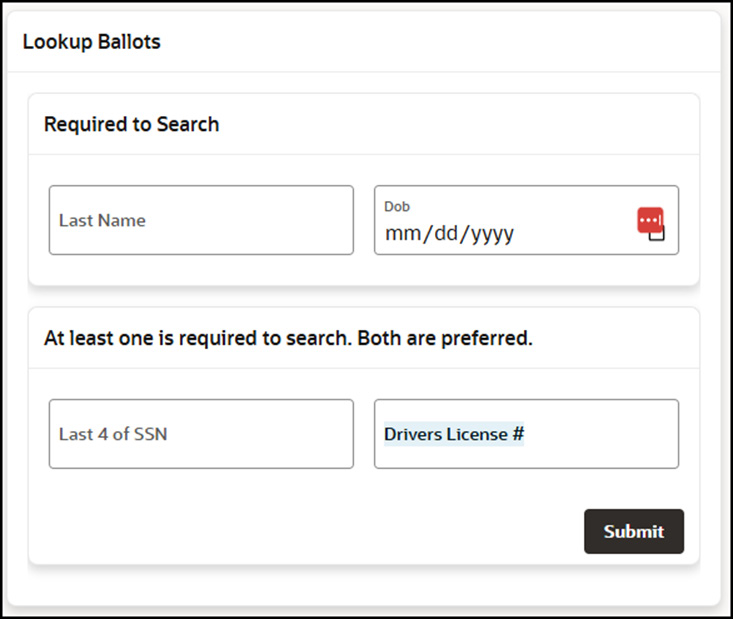
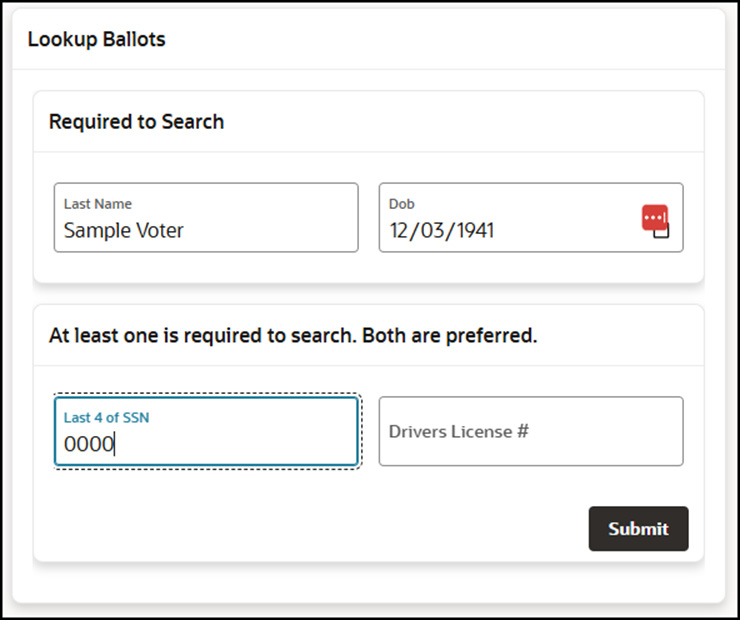
A voter enters their last name and date of birth, plus one of two additional verifiers — last four of SSN or driver's license number. Both verifiers are accepted; either is enough. Search returns only that voter's record. There is no roster browsing and no fuzzy matching across records.
What the voter sees
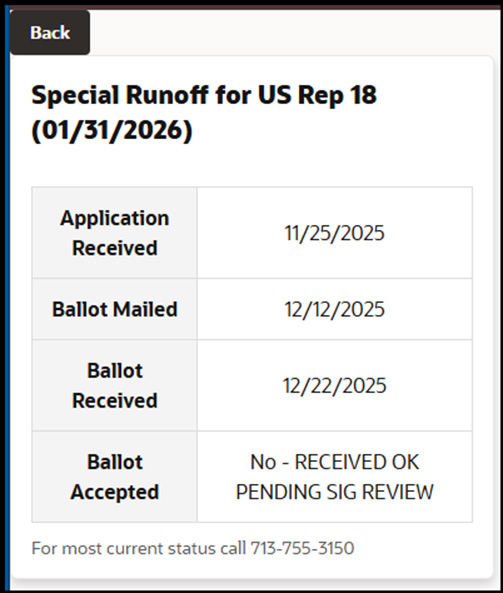
The portal returns a card with the latest status of that voter's mail ballot, drawn from the county VR system.
How it embeds
NxtPortal is hosted by NES. It embeds into the county website two ways:
- The county's IT team drops in a supplied snippet alongside the existing site nav.
- Or NES provides the embed code and walks the county team through placement.
Either way, the portal looks like part of the county site. The voter never leaves the county domain.
How it stays in sync with the VR system
The VR system pushes; the portal receives. NxtPortal never reaches into the voter registration system, never queries it, and holds no credentials to it. The direction of data flow is a deliberate security boundary, not an implementation detail.
The county team configures the push on a cadence that fits a mail-ballot cycle — minutes, hourly, or longer. Two delivery paths, both initiated from the county side:
- Direct connection — the county's VR system pushes event-driven updates to NxtPortal as ballot statuses change.
- CSV transfer — when a direct connection isn't available, the county team places scheduled CSV exports in a drop location NxtPortal reads from.
Either way, the portal data is always current to the last push — never stale by more than the configured interval, and never the result of NxtPortal asking the VR system anything.
Multilingual
The voter interface ships in English and Spanish. Voters self-select on the lookup page; counties don't have to choose one language or run two embeds.
Privacy and security posture
NxtPortal is read-only and fenced from the system that feeds it.
- Minimal data set. The lookup database holds only the fields needed to verify a voter and display ballot status: last name, date of birth, driver's license number, last four of SSN, and the certificate identifier (CERT) used by the VR system. No voter rolls, no addresses, no contact information, no signature images.
- One-way data flow. The VR system pushes status updates out to the portal; nothing flows back in. Voters can't reach into the voter registration system through the portal.
- Encryption at rest on the lookup database, and TLS on every voter session.
NxtPortal serves the most common voter inquiry — mail ballot status — directly from the county website, using only the fields needed to look up a ballot and never opening a path back into the VR system.
Next step
NES can have a working portal pointed at a county VR system inside a typical implementation cycle. The first conversation covers election calendar, current call volume, and which integration path fits.